The macOS App Launcher on a Floating Keyboard.
Stop memorizing shortcuts. Press your trigger key — a visual keyboard appears with every binding at a glance. Tap once to launch.
- macOS 15+ Required
- Zero Data Collected
- One-Time Purchase
- Menu Bar App
Assign Apps & Shortcuts to Any Key
Mac App Launcher
Assign any installed app to any key. When the keyboard appears, tap the key and the app opens immediately. Perfect for apps you use often — or ones you can never find.
macOS Shortcuts Launcher
Assign macOS Shortcuts to keys and trigger them with a single tap. Run automations, file operations, AI workflows, or anything else you've built — all from one place.
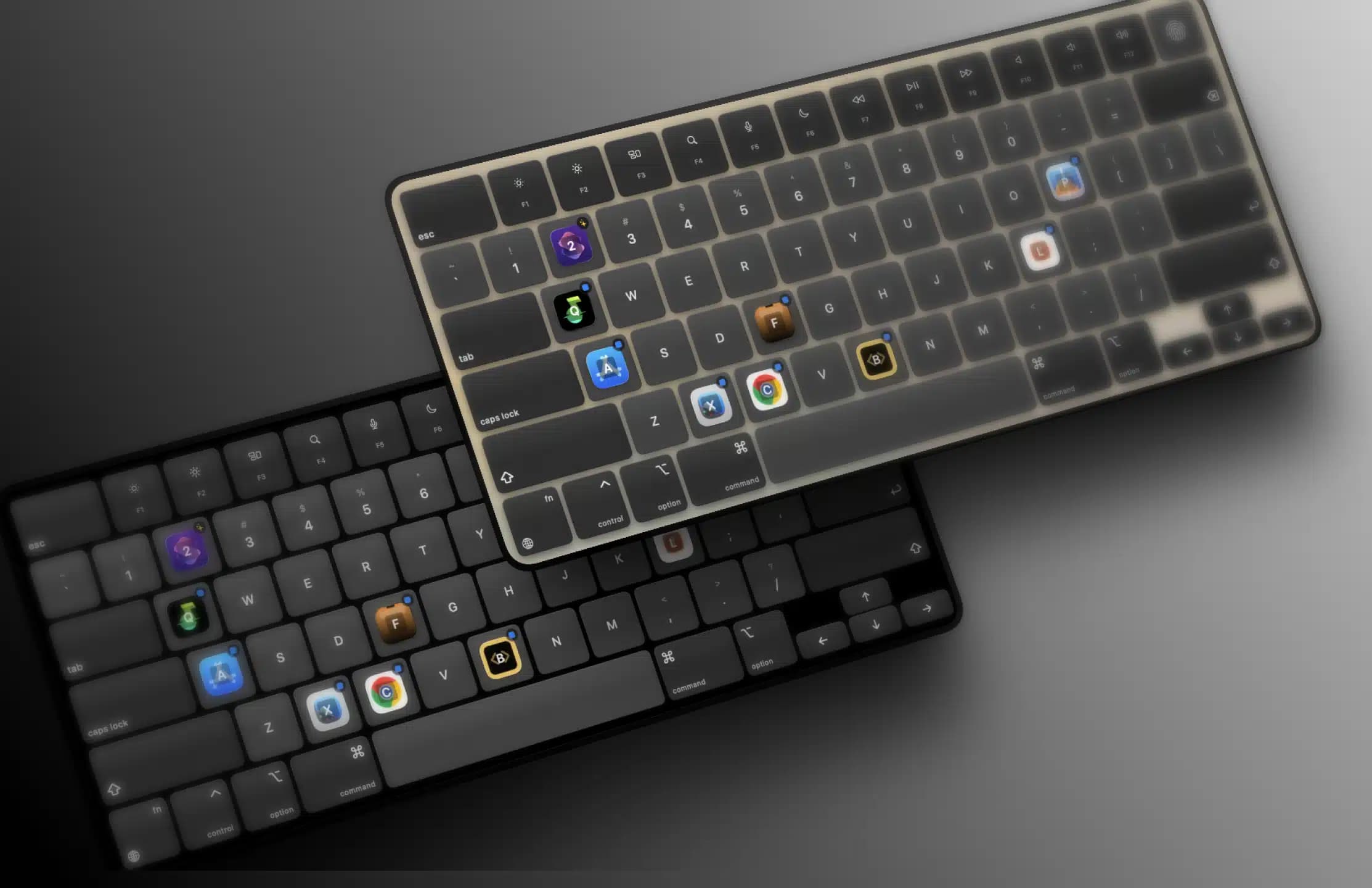
Themes & Animations
Choose from multiple keyboard themes — Glass, Dark, and more. Fine-tune show and hide animations with presets and adjustable settings, with a live preview so everything feels exactly right.
Download Keboard
Requires macOS 15.0 or later
macOS 15.0 (Sequoia) or later required
Pricing
Buy once, use forever.
Keboard
$9.99one-time
- Unlimited App Bindings
- Unlimited Shortcut Bindings